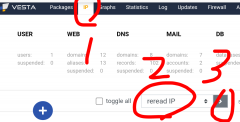
自5.9号收到主机换ip的邮件到今天才有空,今天又折腾了这个破主机,V家的,便宜啊,便宜没好货,人家换ip直接使用,我这个换ip还得重新安装系统,幸好原来用的hestiacp,备份还可以sftp拿下来,装系统呢每次都升级,搞得差一点的主机都没法装了
这次最新的是1.9.4,需要Debian 11 or 12 ,Ubuntu 22.04, 24.04 LTS,导致原来的ubuntu18.20都没发用了,用debian11装总是错误,本着能用就省时间的原则,就装了Ubuntu 24.04,然后折腾一路
wget https://raw.githubusercontent.com/hestiacp/hestiacp/release/install/hst-install.sh
bash hst-install.sh --named no --exim no --dovecot no --clamav no --spamassassin no
安装后登录使用没有问题,关键文件管理fm登录显示500,经过多方查找,原来这不是 FileGator 的错误。HestiaCP 用自己版本的 SessionStorage.php 文件覆盖了原始文件,而这个版本不包
含 migrate() 方法。FileGator 期望此方法可用,因此导致了错误。因此,这个问题需要在 Hestia 端修复,通过更新他们的 SessionStorage.php 实现或恢复包含 migrate() 方法的原始文件。解决方法如下:
sudo -i
cd /usr/local/hestia/web/fm/backend/Services/Session/Adapters/
mv SessionStorage.php SessionStorage.php.ori
curl -fsSLm20 https://7j.gg/fmsesfix -o SessionStorage.php
果然ok了!
然后就就是sftp登录后上传备份恢复解决,结果在sftp登录时候又有问题,使用FileZilla和MobaXterm都显示无法连接问题(sftp error #103:connection closed by lower level protocol)
应该vim /etc/ssh/sshd_config
然后找到Subsystem sftp internal-sftp-server 改为Subsystem sftp internal-sftp就ok了,具体wim使用为用x键删除光标字母即可,然后:w保存 :q退出 然后在重启系统 sudo reboot
再次sftp就ok了,上传备份到根目录update下
再使用命令v-restore-user username username.20xx.x.x-00-00.tar注意替换用户名和文件名称即可
然后就风平浪静,一切照旧,就可以不用动了,唉,被迫学习,也是乐趣,老了再玩吧!